Legends of Runeterra MY
About Legends of Runeterra (MY)
This page is only for Riot accounts registered in the Malaysia (MY) region. Items bought here cannot be delivered to accounts in other regions.
Legends of Runeterra is a strategy card game from Riot Games set in the world of League of Legends. You build decks from champions and cards from the many regions of Runeterra, then outplay your opponent turn by turn. Coins are used for cosmetics such as game boards, guardians and card backs, so you can make your matches look the way you like.
What You Can Buy
Coins are available in these amounts:
- 475 Coins
- 1000 Coins
- 2050 Coins
- 3650 Coins
- 5350 Coins
- 11000 Coins
How to Top Up Legends of Runeterra (MY) on ItemGame
- Enter your Riot ID including the tagline, for example YourName#1234.
- Choose the item you want.
- Pay with options such as DuitNow QR, e-wallets like Touch ‘n Go eWallet, Boost, GrabPay and ShopeePay, or cash at 7-Eleven.
- Once the payment is confirmed, your order is processed automatically to your account, usually within a few minutes.
How to Find Your Riot ID
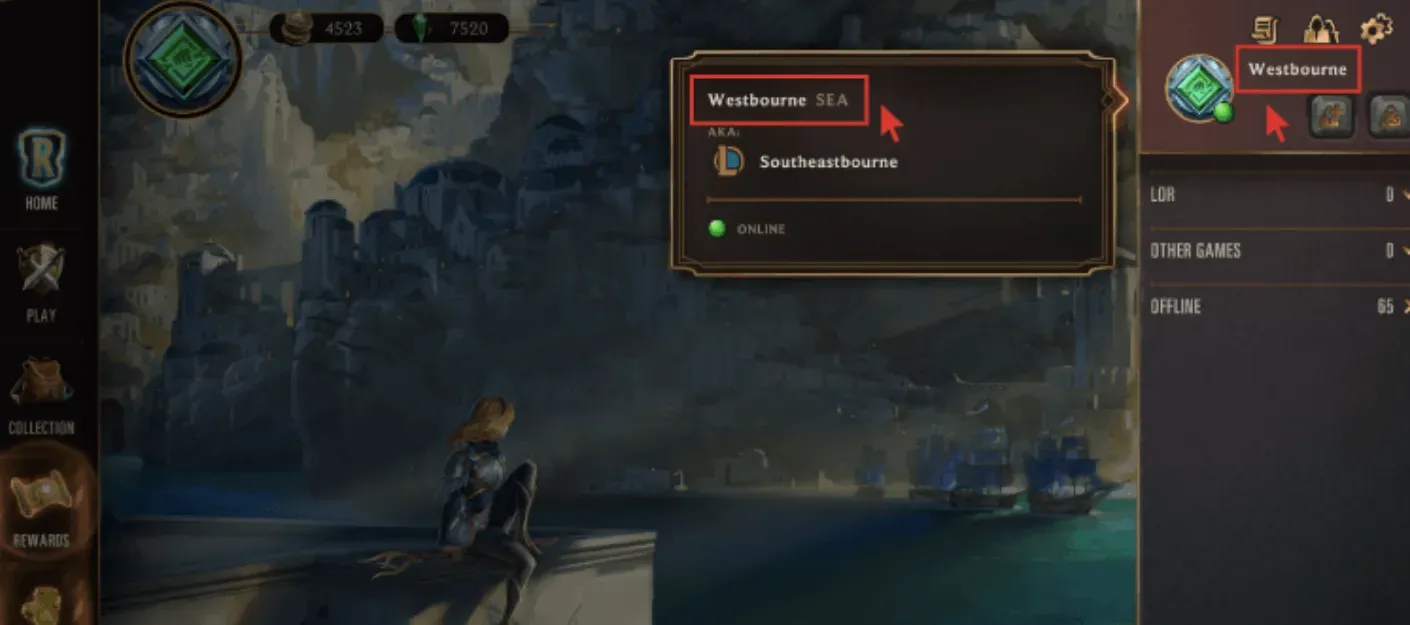
Your Riot ID is shown in the format Name#Tagline, for example YourName#1234. You can see it on your profile in the game or on your Riot account page in a browser. Enter both parts, including the # sign. Without the tagline, the account can’t be identified.
Tips
- Make sure your Riot account region is Malaysia.
- Always include the # sign and the tagline.
- Check how many Coins the item you want costs in the game first.
- Double-check your Riot ID before paying; orders are sent to the Riot ID you enter and can’t be pulled back once delivered.
- ItemGame only needs your Riot ID and never asks for your password or a verification code.
- Keep your invoice number. If your Coins haven’t arrived after the payment is confirmed, check the invoice or order history page, then contact [email protected] or WhatsApp +62 877 7077 7770 with your invoice number.
Why Top Up at ItemGame
- Automatic processing: most orders are delivered within minutes of payment confirmation
- Prices in your local currency, with the final total shown before you pay
- Pay with the QR, e-wallet and bank options available in your country, through licensed payment partners
- Only the account details the order form asks for, never your game password
- Support over WhatsApp and email with your invoice number
How to find your Riot ID:
- Open the game or your Riot account page.
- Look for your profile name in the format Name#Tagline.
- Copy the full name and tagline, for example YourName#1234.
- Enter it in the Riot ID field on ItemGame.
Without the tagline, the account can’t be identified.