
PSN Voucher (Malaysia)
About the PSN Voucher (Malaysia)
A PSN voucher is a prepaid code that adds balance to the wallet of a PlayStation account registered in Malaysia. Use it for digital PS4 and PS5 games, DLC and PlayStation Plus in the PlayStation Store.
What You Can Buy
Wallet codes in Malaysian Ringgit. The amounts currently available are listed on this page; if the list is empty, the product is temporarily unavailable.
How to Buy
- Choose the amount.
- Pay with DuitNow QR, an e-wallet such as Touch ‘n Go eWallet, Boost, GrabPay or ShopeePay, or cash at 7-Eleven.
- The code appears on your invoice page and in your order history after the payment is confirmed.
How to Redeem the Code
- Open PlayStation Store on your PS4 or PS5, or go to the PlayStation Store website and sign in.
- Choose Redeem Codes (on console it is in the Store menu; on the web, in your profile menu).
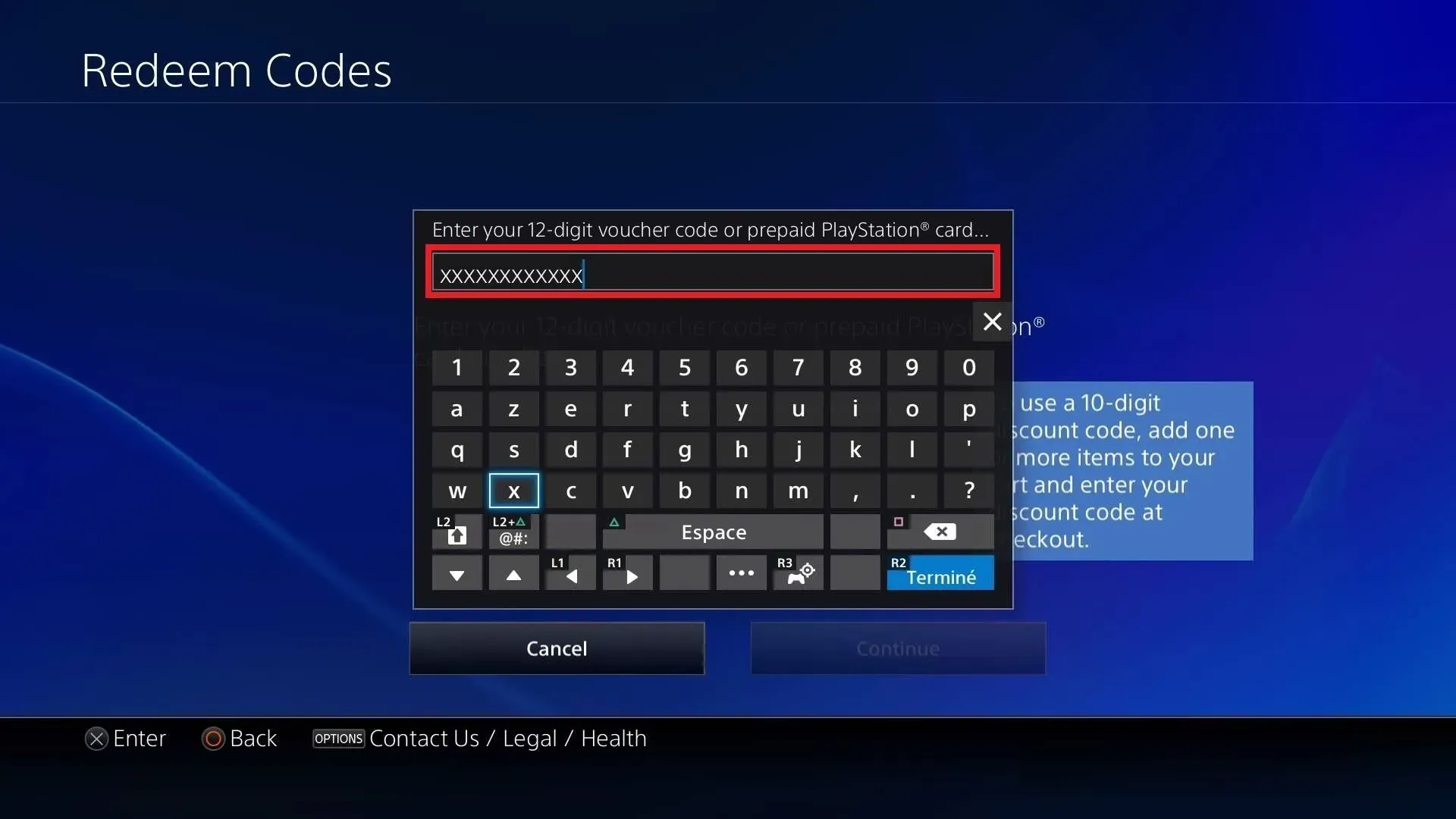
- Enter the 12-digit code from ItemGame and confirm.
- The balance is added to your PlayStation wallet.
Tips
- The code only works on PSN accounts registered in Malaysia.
- Keep the code private until you redeem it.
Why Top Up at ItemGame
- Automatic processing: most orders are delivered within minutes of payment confirmation
- Prices in your local currency, with the final total shown before you pay
- Pay with the QR, e-wallet and bank options available in your country, through licensed payment partners
- Only the account details the order form asks for, never your game password
- Support over WhatsApp and email with your invoice number
To redeem a PSN code:
- Open PlayStation Store on your console or sign in on the web store.
- Choose Redeem Codes.
- Enter the 12-digit code from your ItemGame invoice.
- Confirm and check your wallet balance.
PSN Voucher (MYR) FAQ
1 Will this work on a PSN account from another country?
No. These codes are in Ringgit and work only on PlayStation accounts registered in Malaysia.
2 Do I need to enter an account ID or log in?
No. This product is a voucher code, so there is no ID field. You redeem the code yourself on your own account after purchase.
3 Where do I get the code after paying?
The code appears on your invoice page and in your order history, usually within a few minutes after the payment is confirmed.
4 The code has not appeared yet. What should I do?
Check the status on your invoice page first. If the order is paid but no code is shown, contact us at [email protected] or WhatsApp +62 877 7077 7770 with your invoice number.
5 Which payment methods can I use?
Options include DuitNow QR, e-wallets such as Touch 'n Go eWallet, Boost, GrabPay and ShopeePay, and cash payment at 7-Eleven. The full list appears on the payment page at checkout.
Order Form PSN Voucher (Malaysia)
Sorry, this product is currently under maintenance