Legends of Runeterra PH
NOTE: THIS TOP UP IS ONLY FOR LEGENDS OF RUNETERRA PHILIPPINES (PH) REGION.
Legends of Runeterra (PH): Guide & How to Top Up Coins
Welcome to the world of Runeterra, Filipino players! If you’re a fan of strategy card games and the League of Legends universe, you’re in the right place. This guide from ItemGame explains everything about Legends of Runeterra (LoR) and how to top up Coins at the cheapest and fastest way for your PH account.
Sharpen Your Mind: What is Legends of Runeterra?
Legends of Runeterra (LoR) is a strategy card game from Riot Games. In LoR, you build decks using Champions and followers from different regions of Runeterra. Your goal is to use strategy, planning, and a bit of luck to bring your opponent’s Nexus down to zero.
How to Top Up LoR Coins (PH) on ItemGame
- Select Coin Amount: Choose the number of Coins you want to purchase.
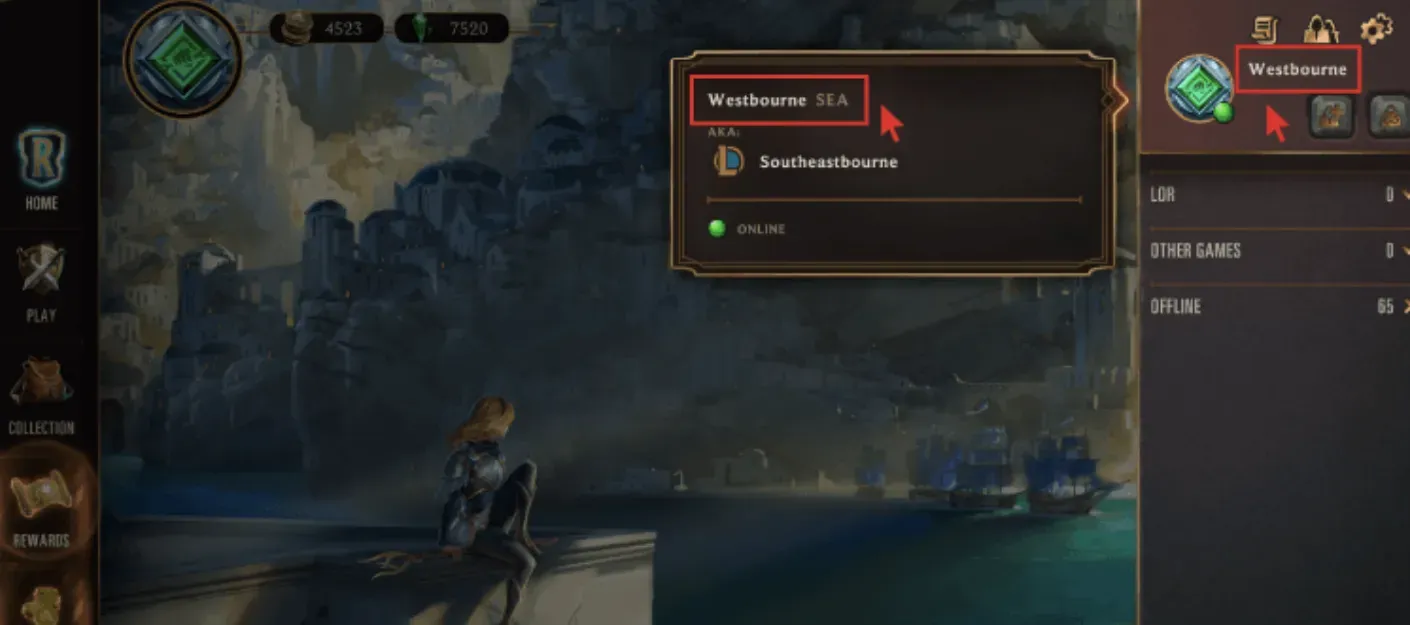
- Enter Riot ID: Fill in your complete Riot ID (Example: YourName#PH1).
- Choose Payment Method: Pay easily using popular payment options.
- Complete the Transaction: Follow the instructions to finish your payment.
- All Done! Coins will be instantly delivered to your LoR account.
Why Top Up at ItemGame
- Automatic processing: most orders are delivered within minutes of payment confirmation
- Prices in your local currency, with the final total shown before you pay
- Pay with the QR, e-wallet and bank options available in your country, through licensed payment partners
- Only the account details the order form asks for, never your game password
- Support over WhatsApp and email with your invoice number
Frequently Asked Questions (FAQ) – Top Up LoR (PH)
1 How long does the Coins top up take?
2 Is this for Philippines region accounts?
To find your Riot ID, open the LoR client. Hover your cursor over your profile picture in the top-right corner. Your Riot ID and tagline will be displayed (Example: YourName#Tagline).