









PUBG Mobile logo

Top Up PUBG Mobile UC with Character ID

About PUBG Mobile

PUBG Mobile drops 100 players onto an island to scavenge for weapons and be the last team standing. Classic maps such as Erangel, Miramar, Sanhok and Livik, realistic gunplay and the Royale Pass keep it one of the most played battle royale games on mobile. Its premium currency is UC (Unknown Cash), used for the Royale Pass, crates, outfits, weapon skins and emotes. The UC on this page is for the global version of PUBG Mobile, the one played in Indonesia, Malaysia, the Philippines, Singapore and Thailand; it does not work for PUBG Mobile Lite or the Vietnamese version (VNG).

What You Can Buy

Everything on this page is UC, from 60 UC and 120 UC up to very large packs such as 48000 + 16800 Bonus UC. Many amounts include bonus UC in the item name, for example 300 + 25 Bonus UC or 600 + 60 Bonus UC, so you know exactly how much will arrive. Bonus amounts follow the publisher’s pricing.

How to Top Up PUBG Mobile on ItemGame

  1. Choose a UC amount.
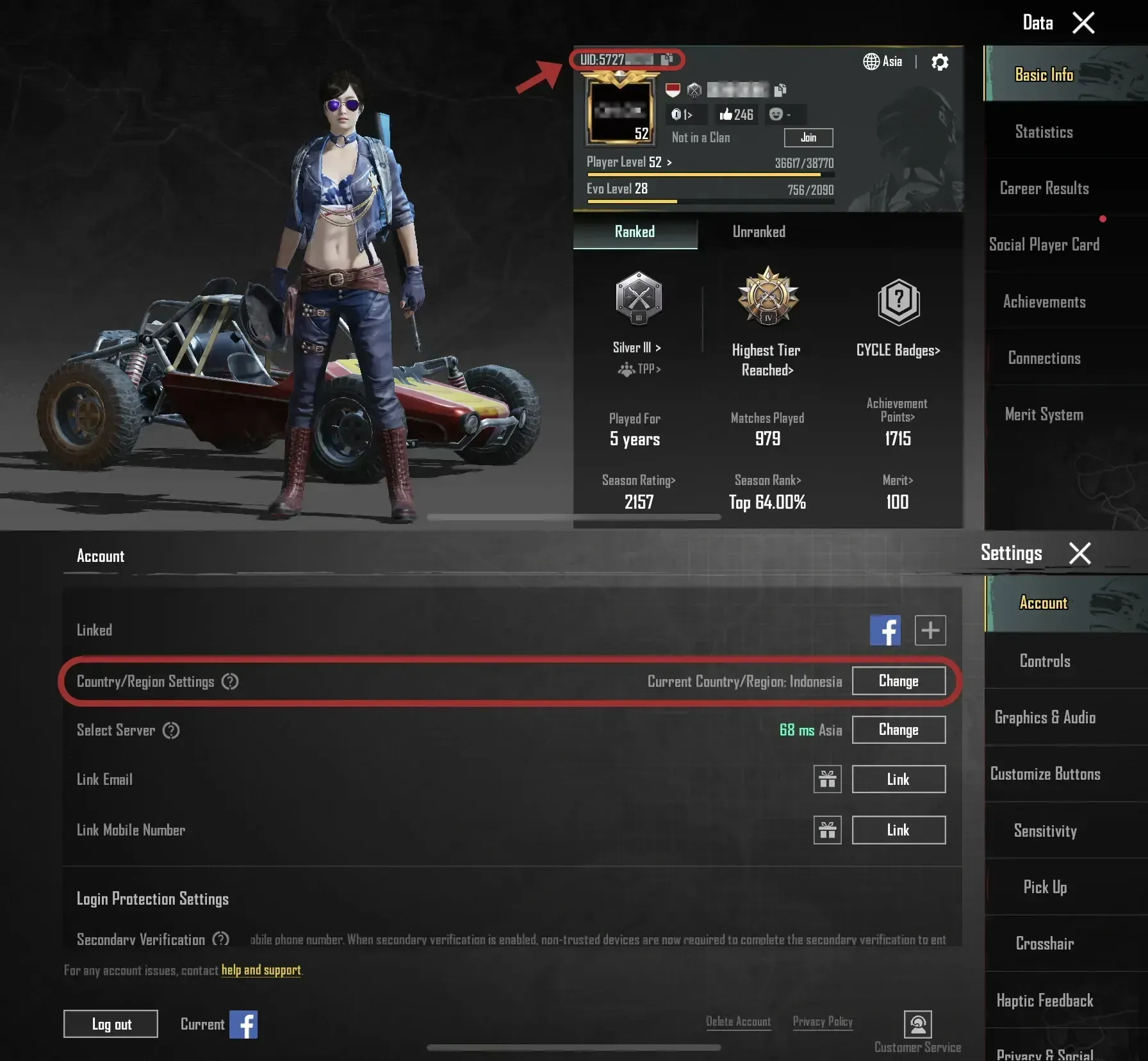
  2. Enter your User ID (Character ID). It is a number, not your nickname.
  3. Pick a payment method and pay.
  4. Once the payment is confirmed, the UC is sent to your account automatically.

How to Find Your User ID

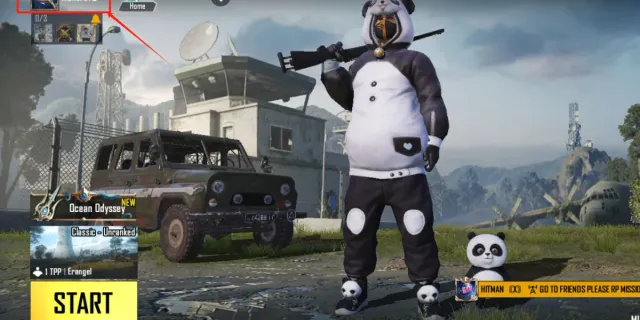
Tap your avatar in the top-left corner of the lobby. Your Character ID is shown under your character name on the profile page, with a copy button next to it.

Tips

  • Check the UC price of the Royale Pass or item you want before choosing an amount.
  • Double-check your ID; UC sent to another account cannot be recovered.
  • If the UC does not show right away, restart the game and check the Shop balance before contacting support.
  • Never share your password or OTP with anyone who claims to be from a top-up store.

Why Top Up at ItemGame

  • Automatic Process
  • No Password Needed
  • Local Payments
  • Customer Support

Order Form PUBG Mobile

1 Enter Account Data

Required

You can find this in your in-game profile. Double-check it before ordering. Make sure the data you entered is correct.

2 Select Item

Required

PUBG Mobile price list for the Singapore store (SGD).

3 Payment Method Required

4 Contact Information

Required

Your invoice and receipt will be sent to this email

Optional

Total Payment

Item -
Payment Method -
Price SGD 0.00
Admin Fee SGD 0.00
Total Payment SGD 0.00

More Mobile Game top ups

Articles about PUBG Mobile