Buy Arena Breakout Voucher for Bonds
About the Arena Breakout Voucher
Arena Breakout is a tactical mobile FPS in the extraction shooter genre: you drop into a dangerous zone, loot gear and try to get out alive while other players hunt you down. If you go down, you lose the gear you brought in, so every decision carries weight. The Arena Breakout Voucher on this page is for players who want to add Bonds, the game’s premium currency, using a voucher code they redeem themselves.
What You Can Buy
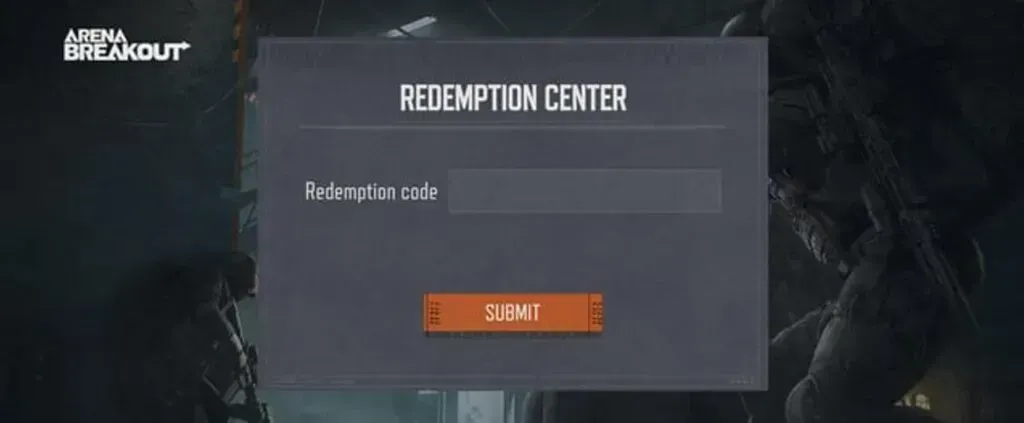
This product is a voucher delivered as a digital code. Once your payment is confirmed, the code is sent to your invoice page and order history. You then redeem it on the Midasbuy site for Arena Breakout by entering your Player ID, and the Bonds are added to your game account.
Bonds are usually spent on the Season Pass, gear bundles and a range of cosmetics for characters and weapons. Because it comes as a code, the voucher also makes a handy gift for a squadmate: just send them the code and they redeem it on their own account.
How to Buy an Arena Breakout Voucher on ItemGame
- Choose the Arena Breakout voucher amount you want from the item list.
- Fill in the contact details requested so the code can be sent to you and found again in your order history.
- Choose a payment method, such as QRIS, e-wallets, bank virtual account, or cash at Alfamart or Indomaret.
- Complete the payment. The voucher code appears on your invoice page once the payment is confirmed.
How to Find Your Player ID
The voucher code is redeemed with your Player ID, which you don’t enter on ItemGame. Open Arena Breakout, tap the profile menu at the top left, and your Player ID is shown below your character name. Note it down, because Midasbuy asks for it when you redeem the code.
Tips
- Copy and paste the voucher code when redeeming so you don’t mix up letters and numbers that look alike.
- Make sure the Player ID you enter when redeeming is your own; Bonds added to another account cannot be moved.
- Don’t share the voucher code with anyone before you have redeemed it.
- Keep your invoice number until the Bonds show up in your account.
- If the code can’t be redeemed, check your transaction history, then contact ItemGame support with your invoice number.
Once the Bonds are in, you can gear up right away before heading back into the fight.
Why Top Up at ItemGame
- Automatic Process
- No Password Needed
- Local Payments
- Customer Support
How to redeem an Arena Breakout voucher for Bonds:
- Find your Player ID: open Arena Breakout, tap the profile menu at the top left, and your Player ID is shown below your character name.
- Once your payment on ItemGame is confirmed, open your invoice page or order history and copy the voucher code shown there.
- Go to the Arena Breakout redeem page on the Midasbuy site.
- Enter your Player ID in the field provided, then paste the voucher code.
- Confirm the redemption. The Bonds will be added to your game account.
Use copy and paste to avoid typos, and double-check your Player ID before confirming, because Bonds added to another account cannot be moved.