Buy Minecoins & Minecraft PC/Mac Vouchers
About Minecraft
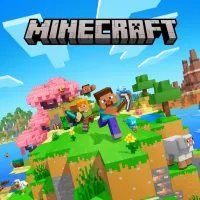
Minecraft is Mojang’s sandbox game that lets you build, explore, and survive in a limitless blocky world, either on your own or with friends. Two things players look for most often: buying the game itself for PC or Mac, and topping up Minecoins to shop in the Marketplace. This page offers both as voucher codes you can redeem with your Microsoft account.
What You Can Buy
There are two categories of items on this page. First, Minecoins vouchers, with a choice of Minecraft 1720 Minecoins and Minecraft 3500 Minecoins. Minecoins are used in the Minecraft Marketplace on Bedrock Edition to buy skins, texture packs, mash-ups, and creator-made worlds. Second, Minecraft (PC/Mac), a code that activates the Minecraft game on a Windows or Mac computer under your Microsoft account. Pick what you need: the game code if you do not yet own Minecraft on PC, or Minecoins if you want to shop for Marketplace content.
How to Buy a Minecraft Voucher at ItemGame
- Choose the item you need: Minecoins 1720, Minecoins 3500, or Minecraft (PC/Mac).
- Click buy, then select a payment method, including QRIS, e-wallets, virtual account transfers, or retail outlets.
- Complete payment. Once confirmed, the voucher code appears on your order’s invoice page.
- Redeem the code on the Minecraft redeem page while logged in to the Microsoft account that should receive the Minecoins or the game.
How to Redeem the Code
This product does not need a User ID because it comes as a code. Open the redeem page on the Minecraft website, log in with the Microsoft account you play with, then enter the code from the invoice page and confirm. For Minecoins, the balance shows up in the Marketplace on Bedrock Edition once you log in with the same Microsoft account. For Minecraft (PC/Mac), the game is tied to that account and can be downloaded through the Minecraft Launcher.
Tips
- Log in to the right Microsoft account before redeeming. A code that has been redeemed cannot be moved to another account.
- Make sure you pick the right item: Minecoins for Marketplace shopping, Minecraft (PC/Mac) to buy the game itself.
- Keep your invoice number and do not share the code with anyone before you have redeemed it yourself.
- If the code does not work, re-check the letters and numbers, then contact customer support with your invoice number if it still fails.
- Check that your device and Minecraft edition support the item you are buying before you pay.
Once the code is redeemed, your blocky world is ready to explore with new content.
Why Top Up at ItemGame
- Automatic Process
- No Password Needed
- Local Payments
- Customer Support
How to redeem a Minecoins or Minecraft (PC/Mac) code:
- Once payment is confirmed, open the invoice page at ItemGame and copy the voucher code shown.
- Open the redeem page on the Minecraft website, then log in with the Microsoft account you play with. Make sure it is not a different account that happens to be saved in your browser.
- Paste the code, check that it is typed correctly, then confirm.
- For Minecoins, open Minecraft Bedrock Edition with the same Microsoft account and check your balance in the Marketplace.
- For Minecraft (PC/Mac), download the Minecraft Launcher, log in with the same account, and the game is ready to install.
Keep your invoice number until the item shows up in your account, and do not share the code with anyone, as it can only be redeemed once.