Top Up Teamfight Tactics Mobile TFT Coins (PH)
Teamfight Tactics Mobile (PH): TFT Coins for the Philippines Region
Teamfight Tactics (TFT) Mobile is a strategy game from Riot Games in the autobattler format. It has a chess-like element: you buy champions from the League of Legends universe, place them on a hexagonal battlefield, and they fight automatically against other players’ boards. Winning depends on how well you manage gold, build traits and synergies, position your units and adapt each round. Eight players face off in a lobby, and the last one standing wins.
On this ItemGame page, you can top up TFT Coins for your TFT Mobile account. Note: this top-up is only for Teamfight Tactics accounts in the Philippines (PH) region. If your Riot account is registered in another region, this isn’t the right page.
What Are TFT Coins?
TFT Coins are the premium currency of Teamfight Tactics. With TFT Coins you can buy Little Legends, arena skins, booms and other cosmetic content, as well as pass upgrades for each set. They don’t make your board any stronger in battle, but they’re how you make every game more personal and more fun.
TFT Coins come in several denominations on this page, from small packs to bigger bundles, including 575, 1380, 2800, 4500, 6500 and 13500 TFT Coins. Check the item list above for the full range of options.
How to Top Up TFT Coins (PH) on ItemGame
- Choose your TFT Coins amount. Pick the denomination you want from the item list.
- Enter your Riot ID. Type your full Riot ID including the tagline (for example: YourName#PH1). Make sure the spelling is right and nothing is missing.
- Choose a payment method. Pay with one of the methods shown at checkout. The list depends on the store you shop in: in Indonesia you pay in rupiah with QRIS, e-wallets, bank virtual accounts or retail outlets, among others. In the Philippines the options include the Maya e-wallet, or over-the-counter cash payment at banks, pawnshops such as Palawan Pawnshop and M Lhuillier, and SM.
- Complete the payment. Follow the checkout instructions until the transaction is confirmed.
- Done. Once the payment is verified, the TFT Coins are sent to your account, usually within a few minutes.
Why Top Up on ItemGame?
- No login needed. We only ask for your Riot ID. You don’t have to share your Riot account password.
- Pay in your store’s currency. Prices are shown in the currency of the store you shop in, for example rupiah in Indonesia or pesos in the Philippines.
- Local payment channels. Choose from e-wallets and over-the-counter payment.
- Customer support. If there’s an issue with your order, just message us with your invoice number.
Tips Before You Top Up
- Double-check your Riot ID and tagline in the TFT app before checkout. Once TFT Coins are sent to the wrong account, they can’t be pulled back.
- Make sure your account is in the PH region. TFT Coins bought here only work for the Philippines region.
- Save your invoice number after paying so you can track your order easily.
Why Top Up at ItemGame
- Automatic Process
- No Password Needed
- Local Payments
- Customer Support
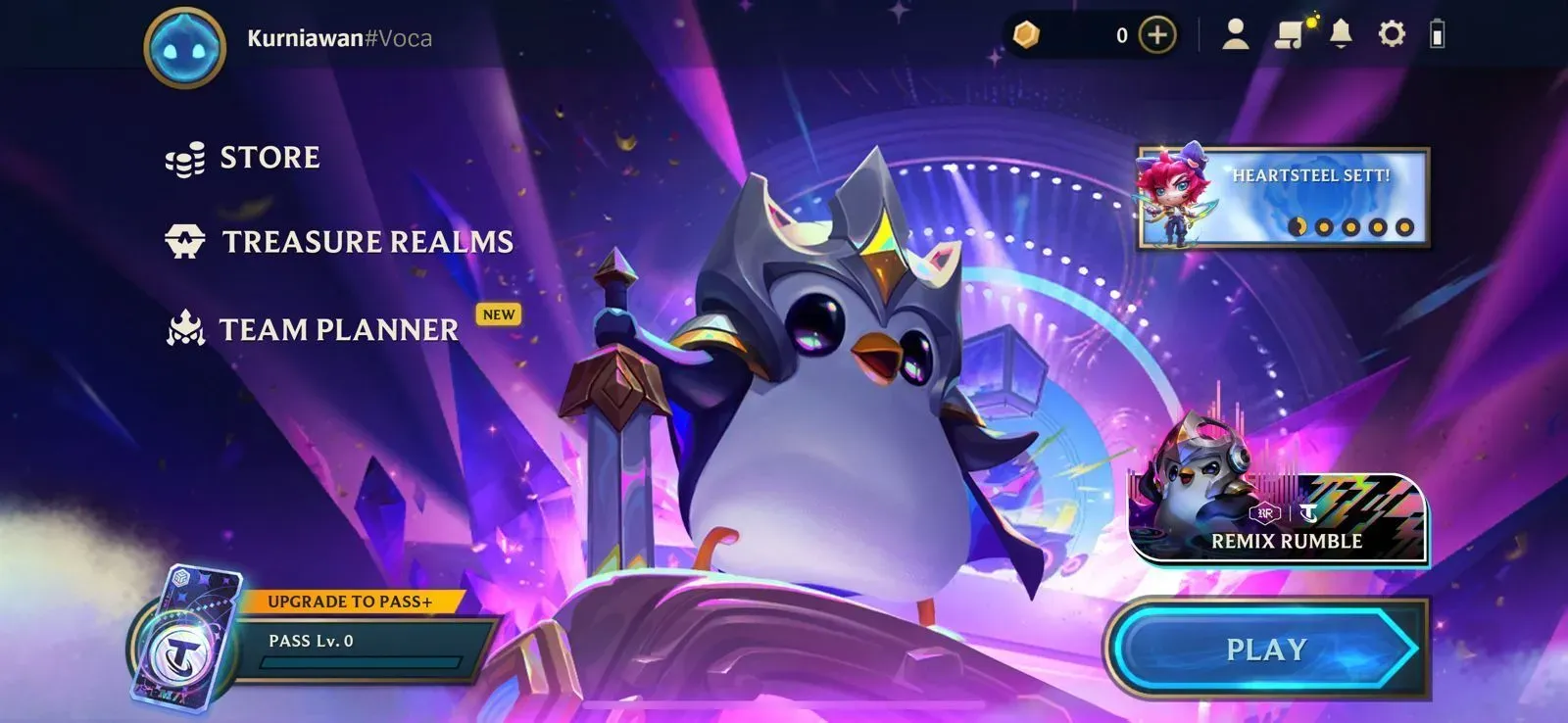
To find your Riot ID, open the Teamfight Tactics Mobile app and log in to your Riot account. On the home screen, tap your profile icon or profile picture at the top of the screen. Your profile opens and shows your full Riot ID, with the tagline after the # symbol (for example: YourName#PH1). You can also check your Riot ID in your Riot account settings if that’s easier for you.
Copy the whole Riot ID exactly, including the tagline. The name alone isn’t enough; both parts are needed to identify your account. Also make sure your account is in the PH region before ordering, because the TFT Coins on this page are only for the Philippines region. Once you’re sure, paste it into the Riot ID field on the order form and continue to checkout.