Buy Bigo Live Diamond Voucher Codes
About the Bigo Live Voucher
Bigo Live is a global live streaming platform where you can watch your favourite hosts, join PK battles or go live yourself. Diamonds are the in-app currency on Bigo Live, used to send virtual gifts to hosts as a way of showing support. The Bigo Live Voucher on ItemGame is a voucher code that you redeem yourself on the Bigo website to add Diamonds to your account. It suits viewers who want to top up without handing over any account details, or anyone looking for a gift for a friend who is active on Bigo Live.
What You Can Buy
This page sells Bigo Live Diamond vouchers in several amounts:
- 50 Diamond
- 305 Diamond
- 1535 Diamond
- 5160 Diamond
Each purchase gives you one voucher code for the amount you chose. You then redeem the code on the Bigo Live website, and the Diamonds go to the account you are logged in to there.
How to Buy a Bigo Live Voucher on ItemGame
- Choose the Diamond voucher amount you want. You don’t need to enter a Bigo ID at this stage.
- Choose a payment method, such as QRIS, e-wallets, bank virtual account or cash at Alfamart or Indomaret, and complete the payment by following the instructions on the transaction page.
- Once the payment is confirmed, the voucher code appears on your invoice page and in your order history.
- Redeem the code on the Bigo Live website using the steps below.
How to Redeem a Bigo Live Voucher
- Open the Bigo Live website at bigo.tv/show in your browser.
- Log in to the Bigo Live account you want to add Diamonds to.
- Select Isi Ulang or Recharge.
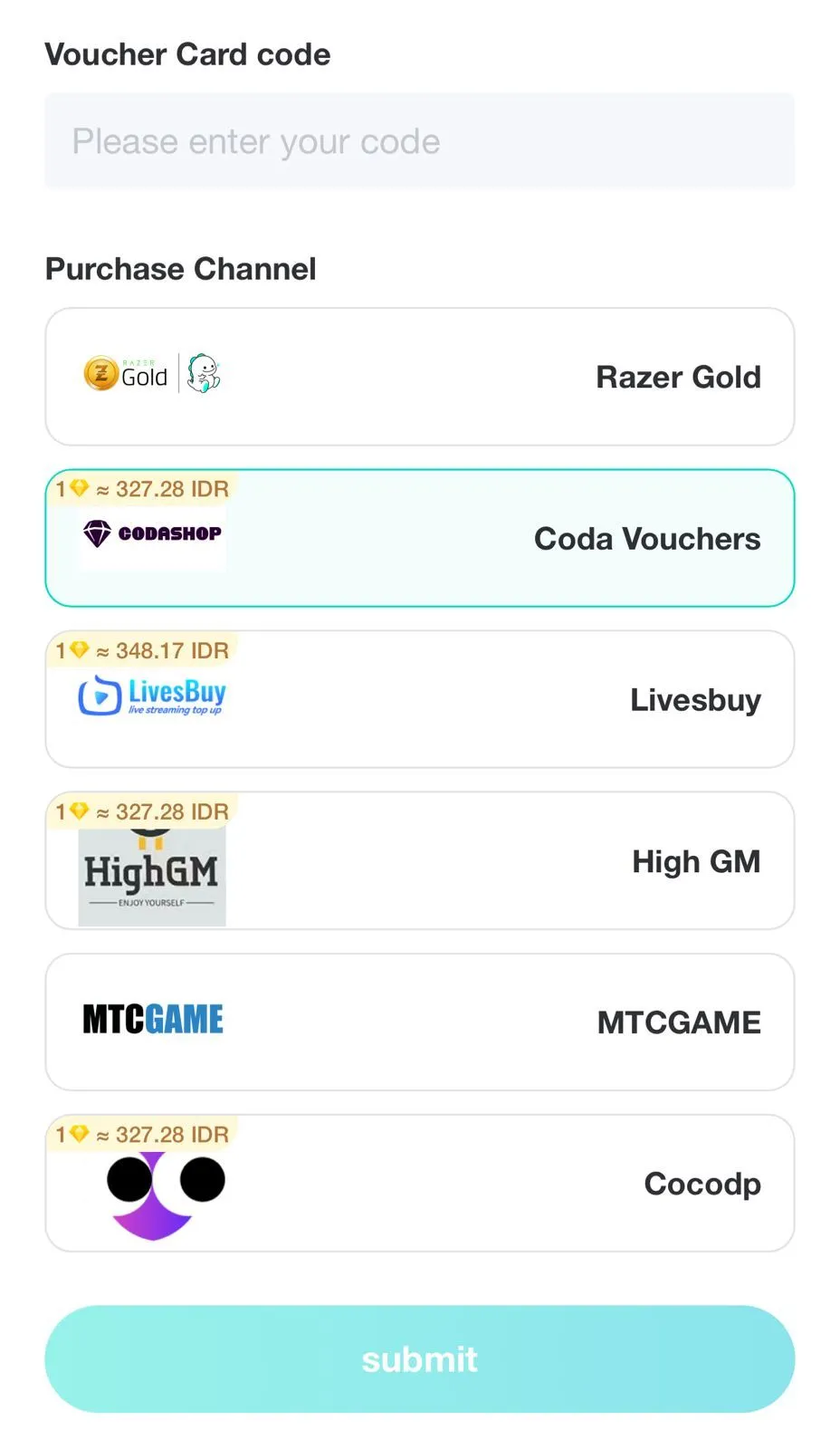
- Choose Indonesia as the country, then select the Bigo Card option.
- Enter the voucher code you received from ItemGame, then tap Kirim or Submit.
- The Diamonds are added to the account you are logged in to. Check your Diamond balance in the Bigo Live app.
Tips
- Log in to the right Bigo Live account before redeeming. Diamonds go to the account that is logged in and cannot be transferred.
- Pick an amount that matches the gifts you plan to send, so you don’t have to keep buying more.
- Don’t share the voucher code with anyone before you redeem it yourself; each code can only be used once.
- Keep your invoice number until the Diamonds show up in your account.
- If the code doesn’t appear or fails to redeem, check your invoice page, then contact ItemGame support with your invoice number.
With the code showing up automatically after payment, you can start supporting your favourite host without a long wait.
Why Top Up at ItemGame
- Automatic Process
- No Password Needed
- Local Payments
- Customer Support
Once your payment is confirmed, your Bigo Live voucher code appears on your ItemGame invoice page and in your order history. Follow these steps to redeem it for Diamonds:
- Open the Bigo Live website at bigo.tv/show in your browser.
- Log in to the Bigo Live account you want to add Diamonds to. Make sure it’s the right account, because the Diamonds go to whichever account is logged in.
- Select Isi Ulang or Recharge.
- Choose Indonesia as the country, then select the Bigo Card option.
- Enter the voucher code from ItemGame carefully, then tap Kirim or Submit.
- Open the Bigo Live app and check your Diamond balance.
Each voucher code can only be used once, so don’t share it with anyone before you redeem it. Keep your invoice number until the Diamonds show up in your account.