Buy Tinder Voucher: Plus, Gold & Platinum
About Tinder Vouchers
Tinder is a dating app you can use for free, but the Tinder Plus, Tinder Gold, and Tinder Platinum subscriptions unlock extra features such as unlimited swipes, Rewind, Passport, and seeing who likes your profile. A Tinder voucher is a code you redeem to activate one of these subscriptions without needing a card. This page is for Tinder users who want to subscribe using local payment methods.
What You Can Buy
The product on this page is a Tinder voucher code for the subscription plans shown in the item list. Once the payment is confirmed, the code is sent to your invoice page or order history, and you redeem it in a web browser at tinder.com/vip with the Tinder account you want to activate.
In general, Tinder Plus gives you the basic premium features, Tinder Gold adds the ability to see who likes you, and Tinder Platinum adds priority features. Choose the plan that suits how you use the app.
How to Buy a Tinder Voucher on ItemGame
- Choose the Tinder voucher plan you want from the item list.
- Fill in the contact details requested so the code can be sent to you and viewed again in your order history.
- Choose a payment method, such as QRIS, e-wallets, bank virtual account, or cash at Alfamart or Indomaret.
- Complete the payment. The voucher code appears on your invoice page once the payment is confirmed.
How to Redeem the Voucher Code
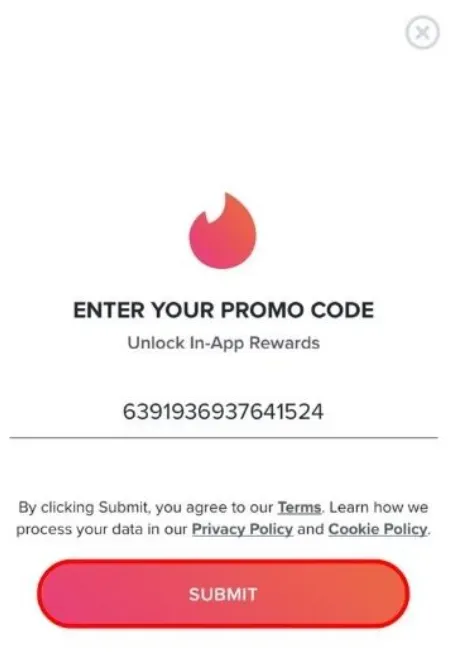
Open a web browser and go to tinder.com/vip, then log in with the Tinder account you want to activate the subscription on. Enter the voucher code from ItemGame and confirm. Redemption is done through a browser, not inside the Tinder app. Once it succeeds, the subscription is active on that account.
Tips
- Make sure you are logged in to the right Tinder account before redeeming; a subscription activated on another account cannot be transferred.
- Copy and paste the code when redeeming to avoid typos.
- Check first whether your account still has an active subscription so they do not overlap.
- Do not share the code with anyone before you redeem it.
- If the code cannot be redeemed, check your transaction history, then contact customer support with your invoice number.
Once the code is redeemed, you can use Tinder’s premium features on your account right away.
Why Top Up at ItemGame
- Automatic Process
- No Password Needed
- Local Payments
- Customer Support
How to redeem a Tinder voucher:
- Once your payment on ItemGame is confirmed, open your invoice page or order history and copy the voucher code shown there.
- Open a web browser and go to tinder.com/vip. Redemption is done through a browser, not inside the Tinder app.
- Log in with the Tinder account you want to activate the subscription on.
- Paste the voucher code into the field provided, then confirm.
- Once it succeeds, the Plus, Gold, or Platinum subscription is active on that account and you can use the premium features right away.
Use copy and paste to avoid typos, do not share the code with anyone before you redeem it, and keep your invoice number until the subscription shows as active.