Top Up Garena Free City via Player ID
About Garena Free City
Garena Free City is an open-world mobile game from Garena that lets you roam the city, run missions, drive all kinds of vehicles, and get into the action with other players. Customizing your character, weapons, and vehicles is a big part of the experience. To buy premium items and stand out in the city, you need the game’s premium currency, and this page is where you add it to your account.
What You Can Buy
This page offers top-ups of Garena Free City’s premium currency, known in the game as City Gems. The active amounts are listed at the top of the page, from small packages for occasional needs to large packages for players who want to collect lots of items. In the game, City Gems are generally used to buy outfits and weapon skins, exclusive vehicles, and other premium items that support your character’s progress and look.
How to Top Up Garena Free City on ItemGame
- Choose the amount you want from the item list.
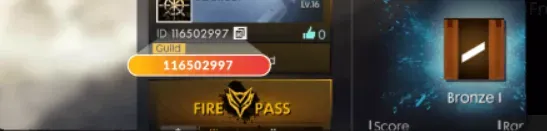
- Enter your Free City Player ID in the field provided. The Player ID is a string of numbers, not your character name.
- Choose a payment method, such as QRIS, e-wallets, bank virtual account, or cash at Alfamart or Indomaret, then complete the payment.
- Once the payment is confirmed, the items are sent to your account automatically. Check your balance in the in-game store.
How to Find Your Player ID
Open Garena Free City, then tap the profile menu or avatar in the top-left corner of the main screen. On the profile page, your Player ID is shown below your character name. Copy that number and paste it into the Player ID field on ItemGame. If the screen looks slightly different, check the account settings menu; the ID is usually shown there as well.
Tips
- Double-check your Player ID before paying. Items sent to another account cannot be reversed.
- Choose an amount that matches your goal. Check how many City Gems the item you want costs in the in-game store first.
- Keep your invoice number as proof of the transaction until the items show up in your account.
- If they do not appear yet, close and reopen the game, then check the store or your mailbox before contacting customer support.
- Never share your Garena account password or verification code with anyone.
Once your balance arrives, you can head straight back to the city streets in a new style.
Why Top Up at ItemGame
- Automatic Process
- No Password Needed
- Local Payments
- Customer Support
How to find your Garena Free City Player ID:
- Open Garena Free City and log in to the account you want to top up.
- On the main screen, tap the profile menu or avatar in the top-left corner.
- On the profile page, look for the string of numbers below your character name. That is your Player ID.
- Copy the number, then paste it into the Player ID field on the ItemGame page.
- Check every digit again before tapping the pay button.
Use the numeric Player ID, not your character name, because names can be shared by different players while the ID is always unique. If you use several Garena accounts, make sure the one currently active is the account you want to top up.