




Marvel Rivals logo

Top Up Marvel Rivals Lattices with User ID

About Marvel Rivals

Marvel Rivals is a 6v6 hero shooter from NetEase Games that brings Marvel characters such as Iron Man, Spider-Man, Hulk and Loki into fast team battles with destructible environments. Each hero is a Vanguard, Duelist or Strategist, and Team-Up combinations between characters unlock special abilities. Skins and the Battle Pass are bought with the premium currency Lattice, and this page is where you top it up.

What You Can Buy

Every item here is Lattice: 100, 500, 1000, 2180, 5680 and 11680 Lattices. Small amounts cover a shortfall, mid-range amounts suit a skin bundle or the Luxury Battle Pass, and large ones suit collectors buying several costumes at once. In the game, Lattice can be converted into Units to buy costumes and bundles in the store, and used to unlock the Luxury Battle Pass each season.

How to Top Up Marvel Rivals on ItemGame

  1. Enter the User ID of your Marvel Rivals account.
  2. Choose the item you want.
  3. Pay with the local e-wallets, QR and bank options available in your country.
  4. After the payment is confirmed, the order is processed automatically and delivered to your account.

How to Find Your User ID

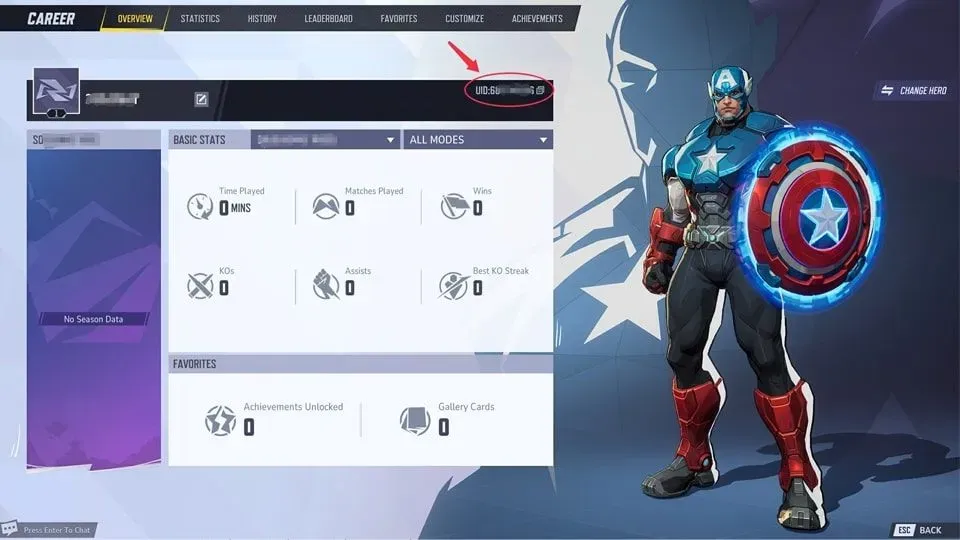
Open Marvel Rivals and click your profile or avatar in the main menu. On the profile page, your User ID is the number next to your display name. Copy it into the User ID field on ItemGame. Use the numeric UID; display names can change and cannot be used for top-ups.

Tips

  • Check your User ID twice before paying; Lattice delivered to another account cannot be moved back.
  • Check the price of the bundle or Battle Pass you want in the in-game store first.
  • If Lattice has not appeared, restart the game and check again.
  • Keep your invoice number until the item shows up in your account.
  • If nothing has arrived after a few minutes, check your invoice page, then contact support with your invoice number.

Why Top Up at ItemGame

  • Automatic Process
  • No Password Needed
  • Local Payments
  • Customer Support

Order Form Marvel Rivals

1 Enter Account Data

Required

You can find this in your in-game profile. Double-check it before ordering. Make sure the data you entered is correct.

2 Select Item

Required

Marvel Rivals price list for the Indonesia store (IDR).

3 Payment Method Required

4 Contact Information

Required

Your invoice and receipt will be sent to this email

Optional

Total Payment

Item -
Payment Method -
Price IDR 0
Admin Fee IDR 0
Total Payment IDR 0

More PC Game top ups

Articles about Marvel Rivals