PSN Voucher (Indonesia)
About the PSN Voucher (Indonesia)
A PSN voucher is a prepaid code that adds balance to the wallet of a PlayStation account registered in Indonesia. Use it for digital PS4 and PS5 games, DLC and add-ons, and PlayStation Plus subscriptions in the PlayStation Store, without a credit card.
What You Can Buy
PSN IDR 100,000, 200,000, 225,000, 300,000, 400,000, 600,000, 1,000,000 and 1,500,000. Smaller amounts suit DLC or indie games, mid amounts cover a big release or PlayStation Plus, and larger ones fill your wallet for several purchases. Balances from several vouchers add up.
How to Buy
- Choose the amount.
- Pick a payment method and pay.
- The code appears on your invoice page and in your order history after the payment is confirmed.
How to Redeem the Code
- Open PlayStation Store on your PS4 or PS5, or go to the PlayStation Store website and sign in.
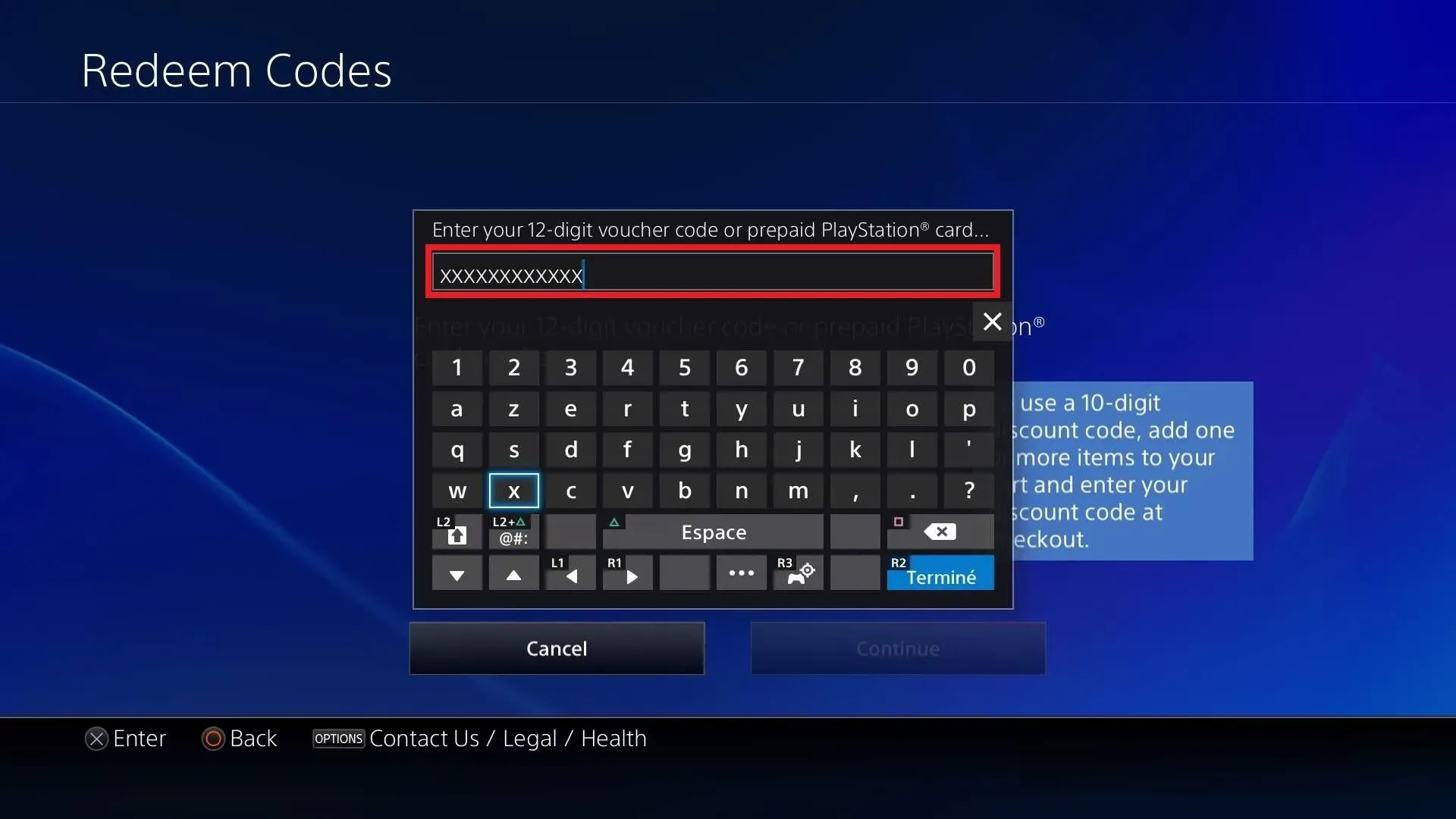
- Choose Redeem Codes (on console it is in the Store menu; on the web, in your profile menu).
- Enter the 12-digit code from ItemGame and confirm.
- The balance is added to your PlayStation wallet.
Tips
- The code only works on PSN accounts registered in Indonesia.
- Keep the code private until you redeem it.
Why Top Up at ItemGame
- Automatic processing: most orders are delivered within minutes of payment confirmation
- Prices in your local currency, with the final total shown before you pay
- Pay with the QR, e-wallet and bank options available in your country, through licensed payment partners
- Only the account details the order form asks for, never your game password
- Support over WhatsApp and email with your invoice number
PSN Voucher (IDR) FAQ
1 Will this work on a PSN account from another country?
No. These codes are in Rupiah and work only on PlayStation accounts registered in Indonesia.
2 Do I need to enter an account ID or log in?
No. This product is a voucher code, so there is no ID field. You redeem the code yourself on your own account after purchase.
3 Where do I get the code after paying?
The code appears on your invoice page and in your order history, usually within a few minutes after the payment is confirmed.
4 The code has not appeared yet. What should I do?
Check the status on your invoice page first. If the order is paid but no code is shown, contact us at [email protected] or WhatsApp +62 877 7077 7770 with your invoice number.
5 Which payment methods can I use?
Options include QRIS, e-wallets such as DANA, OVO, ShopeePay and LinkAja, bank virtual accounts, and cash payment at Alfamart or Indomaret. The full list appears on the payment page at checkout.
To redeem a PSN code:
- Open PlayStation Store on your console or sign in on the web store.
- Choose Redeem Codes.
- Enter the 12-digit code from your ItemGame invoice.
- Confirm and check your wallet balance.