Top Up ZEPETO Zems, Coins and Premium
About ZEPETO
ZEPETO is a 3D avatar social platform where you create a character that represents you, dress it with thousands of fashion items, decorate rooms and explore Worlds to meet other users. There are two currencies: Zems, the premium currency for exclusive items and brand collaborations, and Coins for most fashion items and everyday needs. This page tops up both, plus Premium, with just your ZEPETO username.
What You Can Buy
- Zems: 14, 28, 58, 128, 323 and 1000 Zems for premium items, rare furniture and collaboration collections.
- Coins: 4680, 9700, 25200, 40700, 110000 and 300000 Coins for everyday fashion items.
- Premium (1M): a one-month ZEPETO Premium subscription with the benefits set by the app.
Watch the item names when choosing, because Zems and Coins packs are listed side by side.
How to Top Up ZEPETO on ItemGame
- Enter your ZEPETO username (not your display name).
- Choose the item you want.
- Pay with the local e-wallets, QR and bank options available in your country.
- After the payment is confirmed, the order is processed automatically and delivered to your account.
How to Find Your ZEPETO username
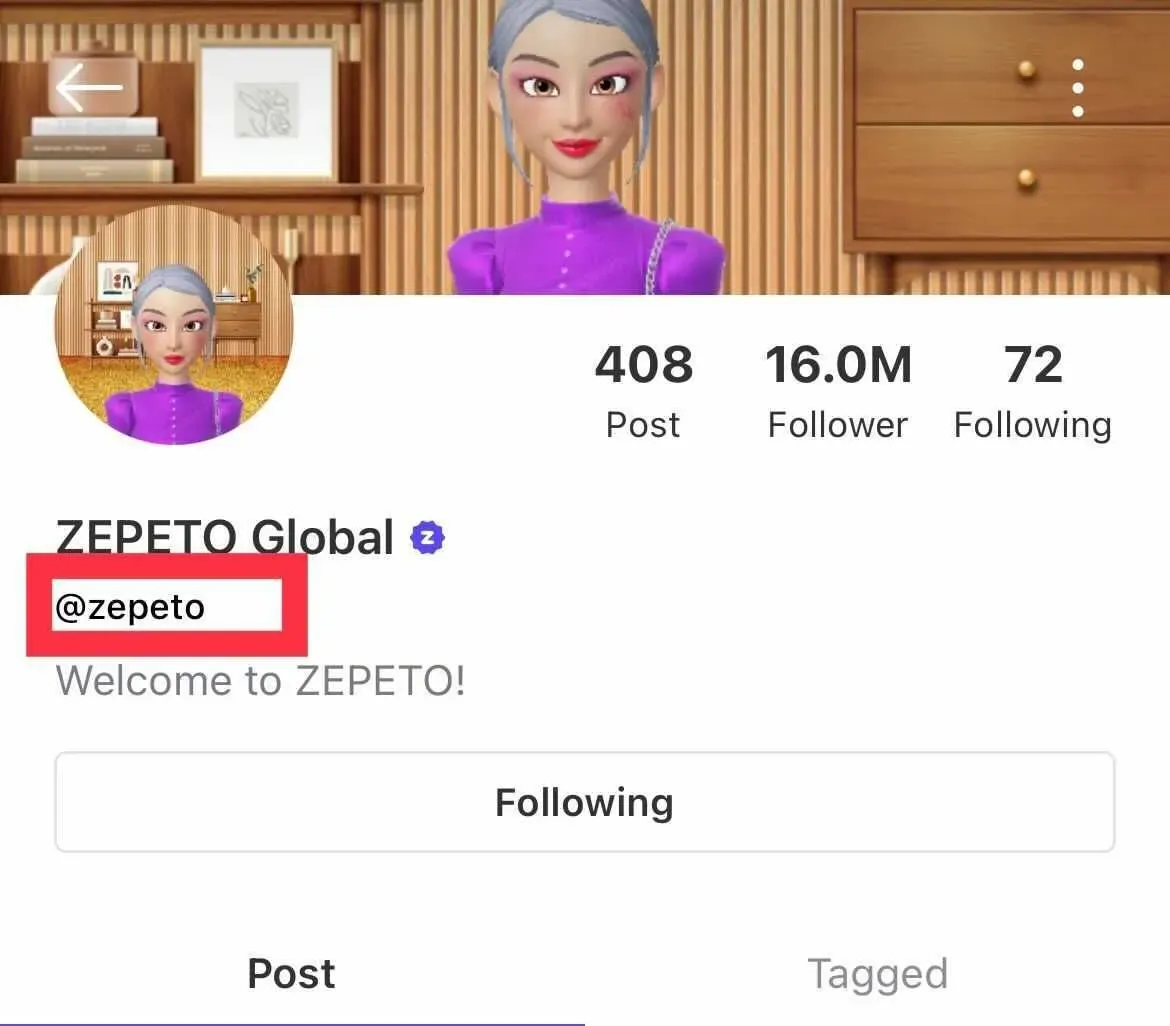
Open ZEPETO and tap the profile icon in the bottom-right corner. Your username is shown under your profile photo and can be copied with one tap. It is different from your display name, so make sure you copy the username. Do not change your username after paying until the items arrive, because delivery uses the username you entered.
Tips
- Check your ZEPETO username twice before paying; items delivered to another account cannot be moved back.
- Do not change your username until the Zems or Coins show up.
- Choose the right item: Zems for premium items, Coins for everyday fashion, Premium (1M) for subscription benefits.
- Keep your invoice number until the item shows up in your account.
- If nothing has arrived after a few minutes, check your invoice page, then contact support with your invoice number.
Why Top Up at ItemGame
- Automatic Process
- No Password Needed
- Local Payments
- Customer Support
To find your ZEPETO username:
- Open ZEPETO.
- Tap the profile icon in the bottom-right corner.
- Copy the username under your profile photo.
- Paste it into ItemGame.