Top Up SEAL M SEA Ruby with CS Code
SEAL M SEA, Seal Online Nostalgia on Mobile
SEAL M is the licensed mobile MMORPG adaptation of the classic PC game Seal Online. You return to the world of Shiltz with iconic Jobs like Knight, Mage, Priest and Jester, the signature combo system and a collection of adorable pets and mounts. This page is specifically for SEAL M SEA (the Southeast Asia version). Topping up Ruby here only takes your CS Code and server, with no need to log in to your account.
What You Can Buy
Ruby is SEAL M’s premium currency, used to buy costumes, pets, mounts, upgrade items and other offers in the in-game shop. The available Ruby packs are shown directly in the product list on this page, along with the amount that will reach your account. Pick an amount that fits the item you’re after.
How to Top Up SEAL M SEA on ItemGame
- Choose the Ruby pack you want from the product list.
- Enter your SEAL M CS Code in the field provided.
- Select the Server your character plays on: Duran or Arus.
- Choose a payment method, such as QRIS, e-wallets (DANA, OVO, ShopeePay, LinkAja), a bank virtual account or cash at Alfamart or Indomaret, then complete the transaction. Ruby is processed automatically once the payment is confirmed.
How to Find Your CS Code
- Open SEAL M and go to the main screen.
- Open the menu in the top-right corner.
- Tap the Settings icon (the gear).
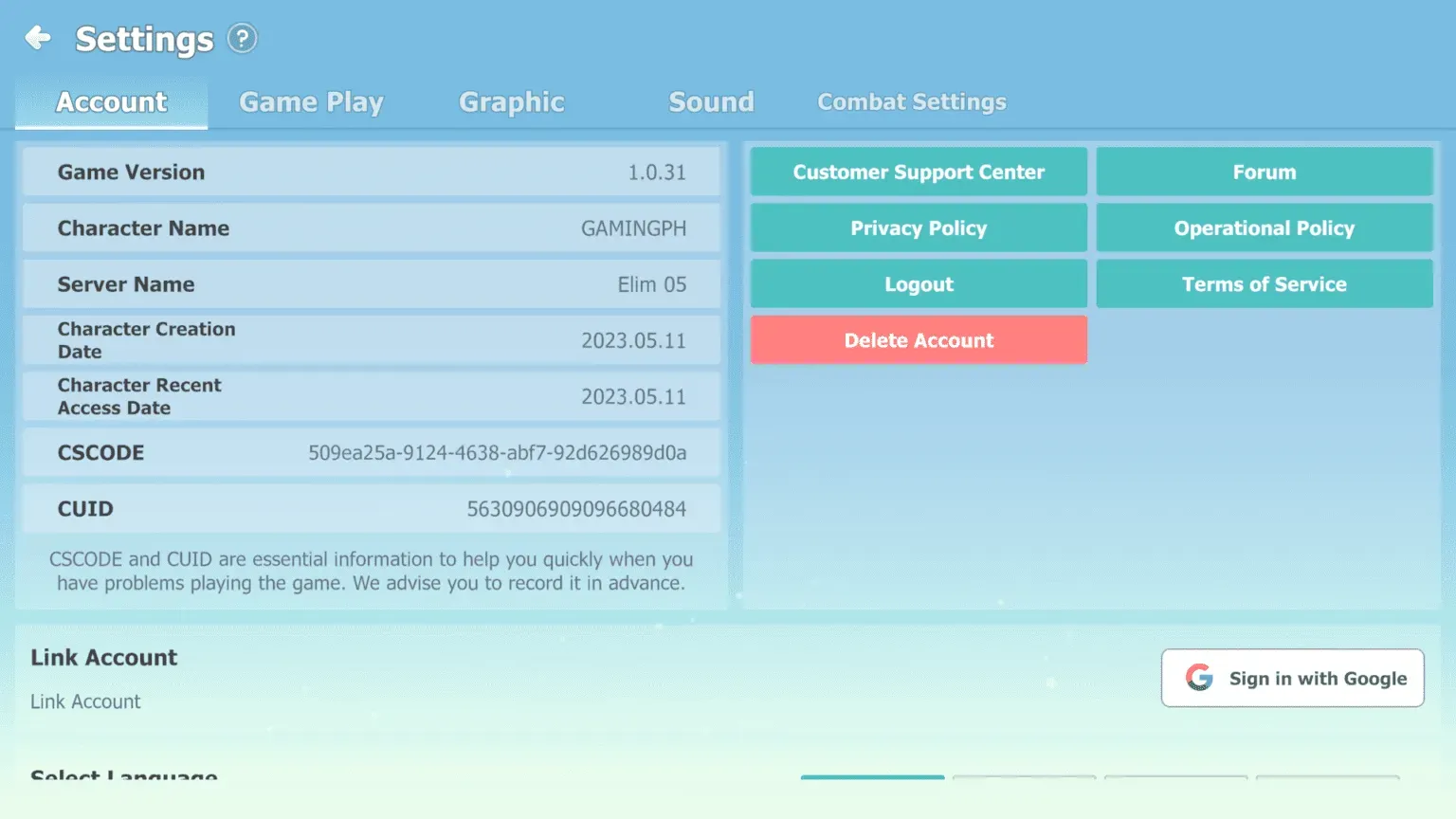
- Your CS Code is shown on that page. Copy it and paste it into the CS Code field on ItemGame. You can see the server name on the server selection screen when you log in.
Tips
- Make sure you play SEAL M SEA and select the correct server (Duran or Arus); the wrong server means the Ruby won’t reach your character.
- Check your CS Code twice before paying; Ruby that lands in another account can’t be pulled back.
- Pick an amount that fits your target, for example one costume or a specific pack.
- Keep your invoice number until the Ruby shows in your account balance.
- If the Ruby hasn’t arrived after the payment is confirmed, check your transaction history on ItemGame, then contact support with your invoice number.
SEAL M SEA Ruby top-ups on ItemGame run automatically 24/7, so you can top up any time before heading back to Shiltz.
Why Top Up at ItemGame
- Automatic Process
- No Password Needed
- Local Payments
- Customer Support
How to find your SEAL M SEA CS Code:
- Open SEAL M and wait until you reach the main screen.
- Open the menu in the top-right corner of the screen.
- Tap the Settings icon (the gear).
- Your CS Code is shown on that page. Copy it carefully.
- Paste the CS Code into the CS Code field on ItemGame, then select the Server your character plays on (Duran or Arus).
Make sure your account is on SEAL M SEA. Ruby that has landed in another account can’t be moved.