









League of Legends - PC PH logo

Top Up League of Legends PC (PH) RP

League of Legends PC (PH): RP Top-Up for the Philippines Server

League of Legends (LoL) is one of the most iconic 5v5 MOBAs in the world, made by Riot Games. Each player picks a Champion with its own abilities, then works with the team to destroy the enemy Nexus. The game combines deep strategy, individual skill, and solid teamwork, so even after years of playing there is always something new to learn on Summoner’s Rift.

On this ItemGame page, you can top up Riot Points (RP) for your LoL PC account. Note: this top-up is only for League of Legends accounts on the Philippines (PH) server. If your account is in another region, this is not the right page.

What Are Riot Points (RP)?

RP is the premium currency of League of Legends. With RP, you can buy Champions, skins, chromas, emotes, ward skins, and other cosmetic content in the in-game store. RP does not affect how strong a Champion is in battle, but it matters a lot if you want to customize your gameplay and make your favorite Champions look great.

This page offers several RP denominations, including 575 RP, 4500 RP, 6500 RP, and 13500 RP. Check the item list above to see all the options.

How to Top Up LoL (PH) RP on ItemGame

  1. Choose an RP amount. Pick the denomination you want to buy from the item list.
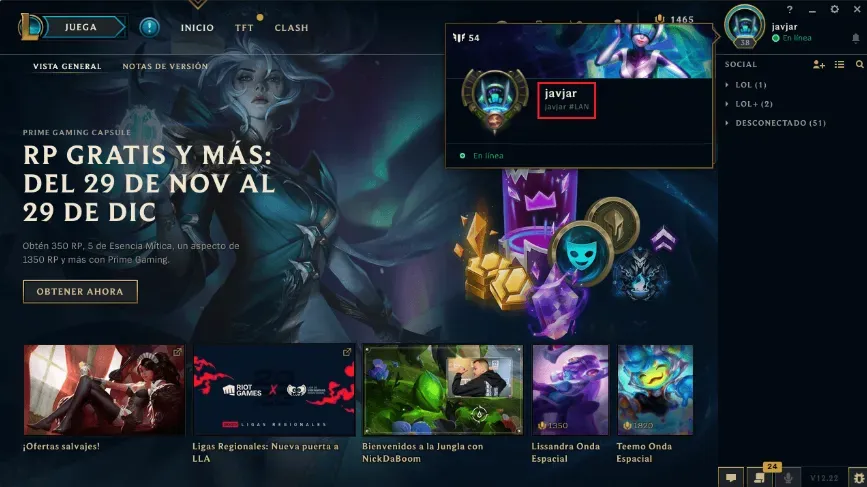
  2. Enter your Riot ID. Type your full Riot ID including the tagline (for example: YourName#PH1). Make sure the spelling is correct and nothing is missing.
  3. Choose a payment method. Pay with one of the methods shown at checkout. The list depends on the store you shop in: in Indonesia you pay in rupiah with QRIS, e-wallets, bank virtual accounts or retail outlets, among others. In the Philippines you pay in Philippine pesos, and the options include the Maya e-wallet or over-the-counter payments at banks, pawnshops such as Palawan Pawnshop and M Lhuillier, and SM.
  4. Complete the payment. Follow the instructions at checkout until the transaction is confirmed.
  5. Done. Once the payment is verified, the RP is sent to your LoL account, usually within a few minutes.

Why Top Up on ItemGame?

  • No login required. We only ask for your Riot ID. You do not need to share your Riot account password.
  • Pay in your store’s currency. Prices are shown in the currency of the store you shop in: Philippine pesos in the Philippines, rupiah in Indonesia.
  • Local payment channels. You can choose between e-wallets and over-the-counter payments.
  • Someone to talk to if something goes wrong. If there is an issue with your order, you can message our customer support with your invoice number.

Tips Before You Top Up

  • Double-check your Riot ID and tagline in the LoL client before checking out. Once RP is sent to the wrong account, it cannot be reversed.
  • Make sure your account is in the PH region. RP bought here is only for Philippines-region accounts (the PH server has been part of the SEA server since January 2025).
  • Save your invoice number after paying so you can easily track your order.

Why Top Up at ItemGame

  • Automatic Process
  • No Password Needed
  • Local Payments
  • Customer Support

Order Form League of Legends - PC PH

1 Enter Account Data

Required

You can find this in your in-game profile. Double-check it before ordering. Make sure the data you entered is correct.

2 Select Item

Required

League of Legends - PC PH price list for the Indonesia store (IDR).

3 Payment Method Required

4 Contact Information

Required

Your invoice and receipt will be sent to this email

Optional

Total Payment

Item -
Payment Method -
Price IDR 0
Admin Fee IDR 0
Total Payment IDR 0

More PC Game top ups

Articles about League of Legends - PC PH