









League of Legends: Wild Rift logo

Top Up Wild Rift Wild Cores with Riot ID

About Wild Rift

League of Legends: Wild Rift is Riot Games’ 5v5 MOBA rebuilt from PC League of Legends for mobile. Matches are shorter and use twin-stick controls, but the champions, items and objectives will feel familiar to any LoL player. Wild Cores are the premium currency for champion skins, the Wild Pass, emotes and other cosmetics.

What You Can Buy

Wild Cores in 425, 1000, 1850, 3275, 4800 and 10000 Wild Cores. The Cores go straight to the account matching your Riot ID and can be spent in the in-game store.

How to Top Up Wild Rift on ItemGame

  1. Enter your Riot ID in the User ID field, including the tagline, for example PlayerName#1234.
  2. Choose a Wild Cores amount.
  3. Pick a payment method and pay.
  4. After the payment is confirmed, the Cores are added automatically.

How to Find Your Riot ID

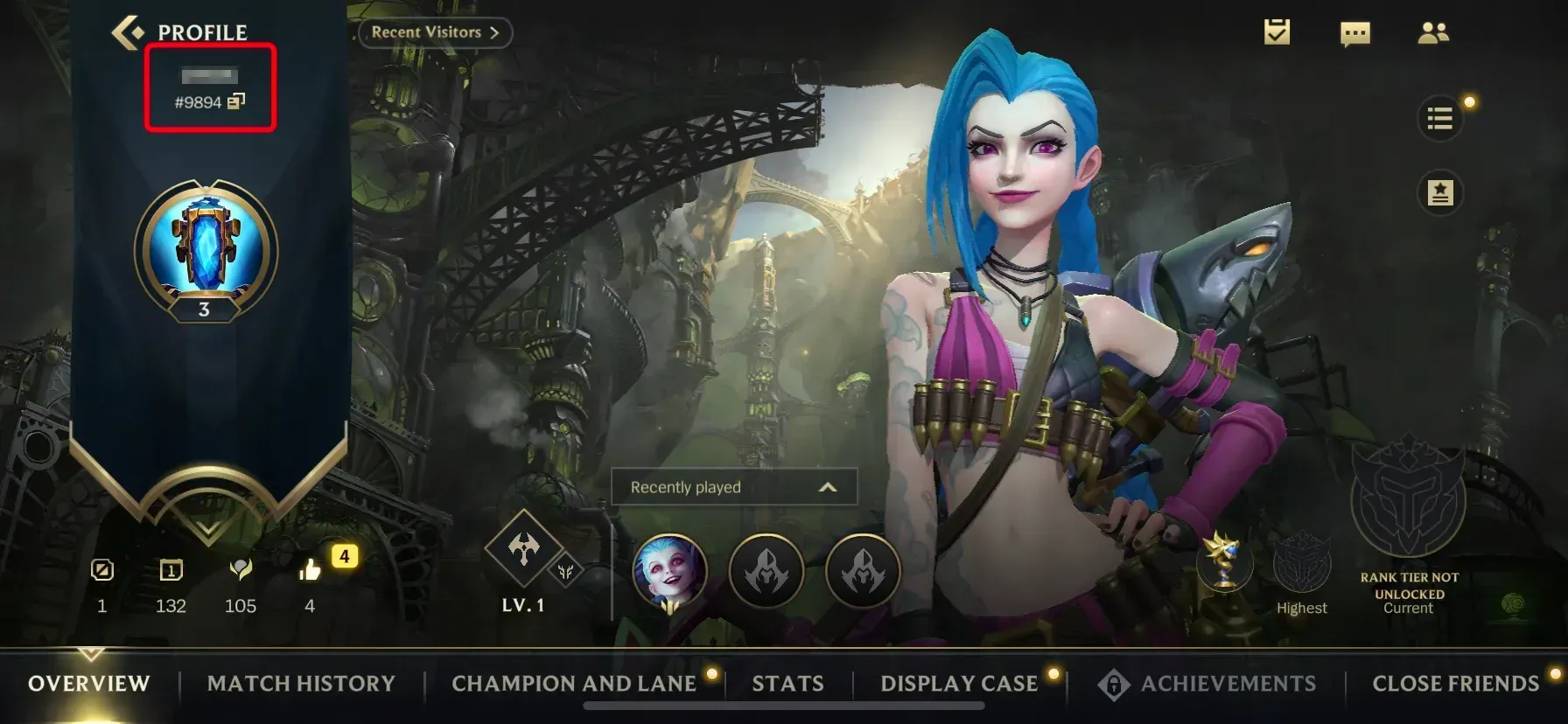
Open Wild Rift and tap your profile picture on the main screen. Your Riot ID and tagline appear above the picture in the format Name#Tagline. Copy both parts, including the # sign.

Tips

  • The tagline is required.
  • Check the Core price of the skin or pass you want before choosing an amount.
  • Keep your invoice number until the Cores appear.

Why Top Up at ItemGame

  • Automatic Process
  • No Password Needed
  • Local Payments
  • Customer Support

Order Form League of Legends: Wild Rift

1 Enter Account Data

Required

You can find this in your in-game profile. Double-check it before ordering. Make sure the data you entered is correct.

2 Select Item

Required

League of Legends: Wild Rift price list for the Indonesia store (IDR).

3 Payment Method Required

4 Contact Information

Required

Your invoice and receipt will be sent to this email

Optional

Total Payment

Item -
Payment Method -
Price IDR 0
Admin Fee IDR 0
Total Payment IDR 0

More Mobile Game top ups

Articles about League of Legends: Wild Rift